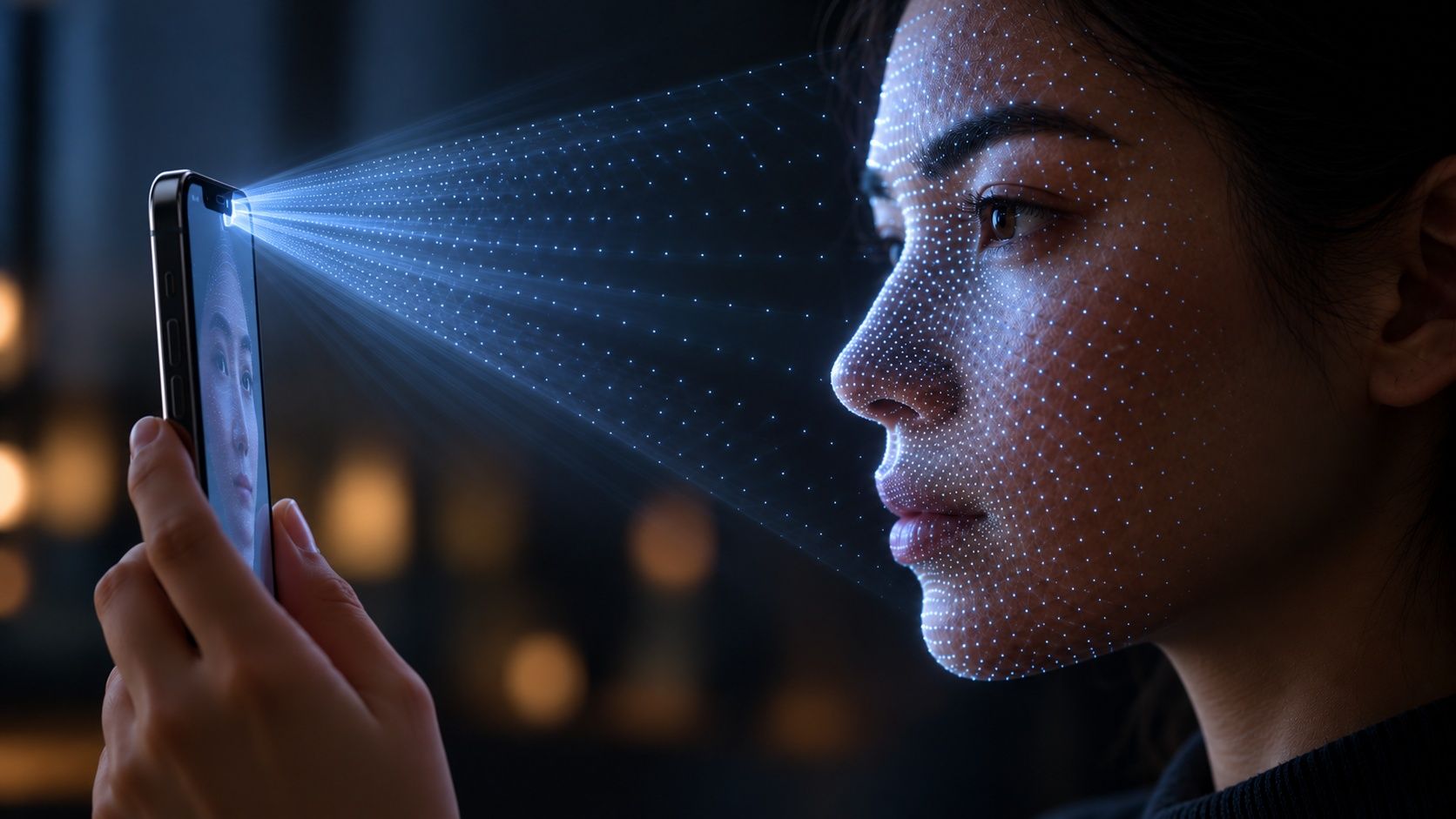
How does Face ID recognize your face?
Face ID projects tens of thousands of invisible infrared dots onto your face and photographs how they land. That creates a 3D map of your face, which the phone turns into a mathematical code and compares with the one it stored when you set it up, all inside the phone.
Invisible dots cover your face
A tiny projector at the top of the phone sends out more than 30,000 infrared dots, light our eyes can’t see. A separate light lets it work in the dark too.
Share this stepThe pattern becomes a 3D map
An infrared camera photographs the dots. On a curved face they bend and spread, and from that distortion the phone calculates the shape of your nose, cheeks and chin in 3D.
Share this stepA chip compares it to your face
The map is turned into a mathematical code and compared with the one saved when you set up Face ID. It happens in a protected part of the chip, never leaves the phone and takes a fraction of a second.
Share this stepYour face as a 3D map, checked in a blink.
Infrared dots3D mapunlocked
Because it measures depth, a photo of you can’t fool it. Apple says the chance a random stranger could unlock your phone is less than one in a million, though twins and young children are harder to tell apart.
Common follow-up questions
Does Face ID work in the dark?
Yes. It uses its own invisible infrared light, so it doesn’t need the room to be lit.
Is my face stored in the cloud?
According to Apple, no. The face data stays encrypted on the phone and isn’t sent to Apple or included in backups.
Does it still work with glasses, a beard or a mask?
Usually. It learns small changes over time, and newer iPhones can recognize you with a face mask. Some sunglasses block infrared light and can stop it.
Can someone unlock my phone while I’m asleep?
By default Face ID checks that your eyes are open and looking at the phone, which makes that much harder.